At the end of a Body Interact simulation, you can access the Scenario Feedback area. This section provides a detailed breakdown of your performance, showing what you did correctly and what actions you missed. This feedback is essential to guide your learning and improve future performance.
Understand the ‘Performance’ Area
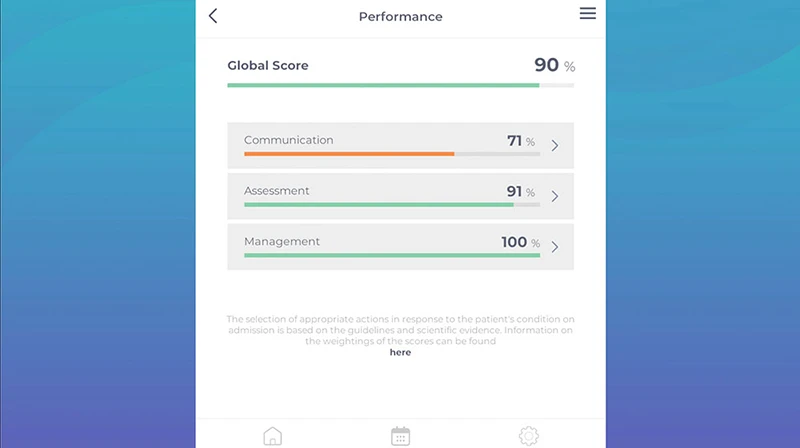
The Performance Area, located within the Scenario Feedback, shows how your actions aligned with the clinical expectations of the scenario. It’s divided into three main categories:
- Communication: Focused on History-Taking and Education, Sample, or OPQRST
- Assessment: Includes Physical Exam, Monitoring, and Diagnostic Tests
- Management: includes Interventions, Medications, and Calls
Can’t See the Feedback Area?
The availability of the Feedback Area depends on how your educator configures the Session settings. Depending on those settings, you might:
- See all feedback, metrics, and solutions.
- Only see the feedback and metrics.
- Not see any of the areas at all.
If you don’t see the full feedback or hints after completing a scenario, it may be because your educator chose to restrict access to that information.
Was this article helpful?
YesNo